brat352
-
Joined
-
Last visited
About Me
PC / PS3 / XBox (in that order) gamer, prefer 1st person shooters, adventure and puzzle type games. Have never been an on-line player (too many young kids with unguarded mouths), but with this new Tomb Raider game I may take a stab at it.
Recently turned 61 years young and still loves to play games. Can't wait until I retire so I can play games ALL DAY LONG! Well, after all my social security income will not allow me to do much of anything else.
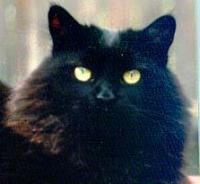
I am owned by four wonderful cats, two of which were strays that found me. I rescued two (brother and sister Norwegian Forest Cats), when the owner died and the relatives were going to take them in to have them put down as no one wanted them. They are incredibly sweet, affectionate gentle giants (Thor my big male weighs in at 20 pounds 10 ounces, Freya his sister, weighs in at a more demure 12 pounds.
I work for a government contractor so who knows, with the sequestration going on, maybe I'll be forced to find new employment - cross fingers that doesn't happen! 

© Lara Croft Online All rights reserved. "Serving Tomb Raider Fans Since 2001"
Lara Croft ® and Tomb Raider ™ are trademarks of © CDE Entertainment Ltd. All rights reserved.