Skip to content
View in the app

A better way to browse. Learn more.

Lara Croft Online Tomb Raider Forum

A full-screen app on your home screen with push notifications, badges and more.

To install this app on iOS and iPadOS
  1. Tap the Share icon in Safari
  2. Scroll the menu and tap Add to Home Screen.
  3. Tap Add in the top-right corner.
To install this app on Android
  1. Tap the 3-dot menu (⋮) in the top-right corner of the browser.
  2. Tap Add to Home screen or Install app.
  3. Confirm by tapping Install.

pikengren

Members
  • Joined

  • Last visited

Everything posted by pikengren

  1. ok. guess that would be a no.
  2. anyone played mafia wars on facebook?
  3. thanks you guys! it's nice to be welcomed. makes me feel all warm and fuzzy. (sincerety played up a little so it can be passed off as sarcasm.)
  4. has anyone here played buzz trivia? ( i am not good at trivia!) it is fun with three or four people, and it gives the trivia challenged (me) an opportunity to take the game from know it alls (my brother).
  5. pikengren replied to BPanther's topic in Off Topic
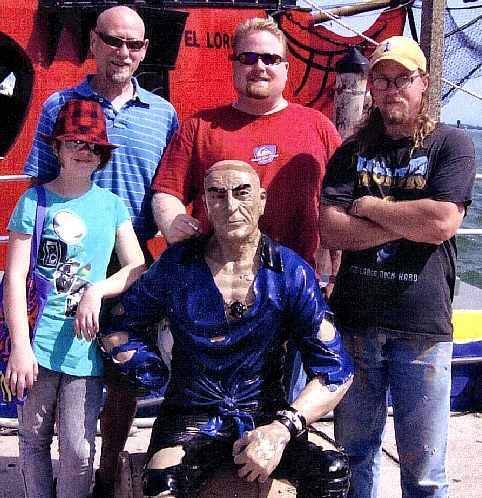
    my youngest daughter, my father, , little brother, and me.

  6. thank you! I've been though some rough stuff and can't always get online. I am hoping that is going to change.


LARA CROFT ONLINE TOMB RAIDER HOME PAGE

© Lara Croft Online All rights reserved. "Serving Tomb Raider Fans Since 2001"

Lara Croft ® and Tomb Raider ™ are trademarks of © CDE Entertainment Ltd. All rights reserved.

Account

Navigation

Search

Search

Configure browser push notifications

Chrome (Android)
  1. Tap the lock icon next to the address bar.
  2. Tap Permissions → Notifications.
  3. Adjust your preference.
Chrome (Desktop)
  1. Click the padlock icon in the address bar.
  2. Select Site settings.
  3. Find Notifications and adjust your preference.