Skip to content
View in the app

A better way to browse. Learn more.

Lara Croft Online Tomb Raider Forum

A full-screen app on your home screen with push notifications, badges and more.

To install this app on iOS and iPadOS
  1. Tap the Share icon in Safari
  2. Scroll the menu and tap Add to Home Screen.
  3. Tap Add in the top-right corner.
To install this app on Android
  1. Tap the 3-dot menu (⋮) in the top-right corner of the browser.
  2. Tap Add to Home screen or Install app.
  3. Confirm by tapping Install.

Jasmine

Members
  • Joined

  • Last visited

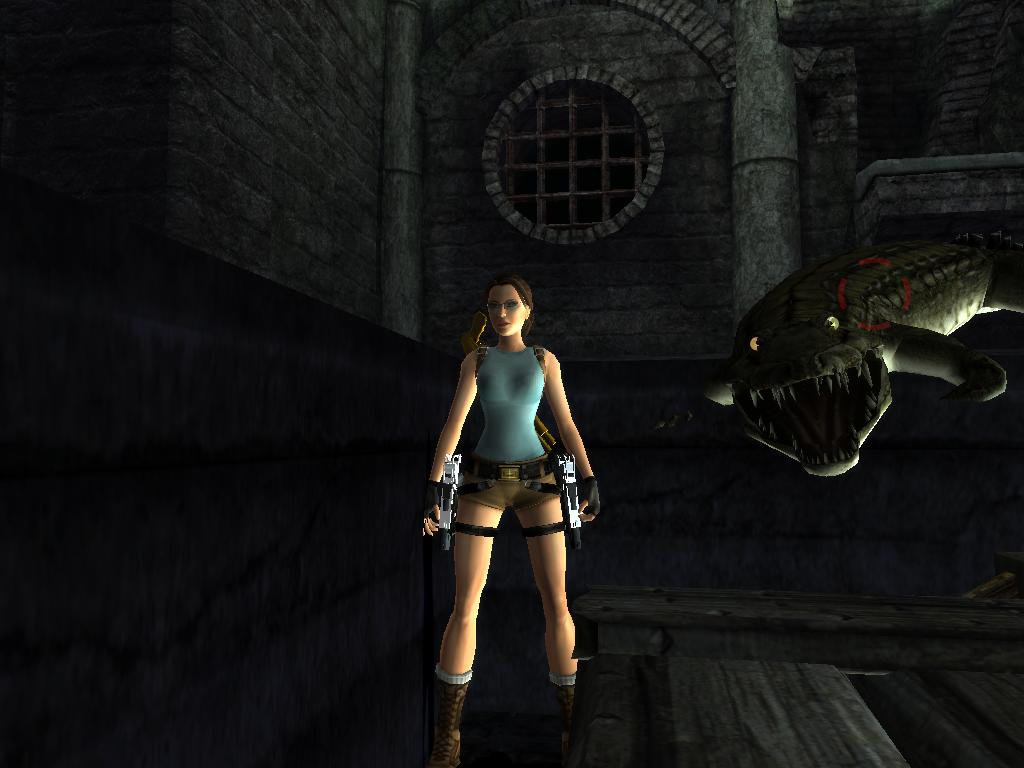
  1. i said the crocidile looked cute. or alligator w.e it is >.<
  2. I took this one today, there was a bug, and the alligator or crocidile, Whatever it is, seemed to be friendly, didnt attack me at all. Lol so i decided to take a pic, i think he looks cute haha

  3. how do you exactly do a headshot?
  4. Jasmine replied to BPanther's topic in Off Topic
    TinkerBell(ben) and Me
  5. Jasmine replied to BPanther's topic in Off Topic
    Ty i dunno if you guys know me from way back in 04 and 05 but im jasmine..or jasminegirl75..way back when you guys had the old fourm


LARA CROFT ONLINE TOMB RAIDER HOME PAGE

© Lara Croft Online All rights reserved. "Serving Tomb Raider Fans Since 2001"

Lara Croft ® and Tomb Raider ™ are trademarks of © CDE Entertainment Ltd. All rights reserved.

Account

Navigation

Search

Search

Configure browser push notifications

Chrome (Android)
  1. Tap the lock icon next to the address bar.
  2. Tap Permissions → Notifications.
  3. Adjust your preference.
Chrome (Desktop)
  1. Click the padlock icon in the address bar.
  2. Select Site settings.
  3. Find Notifications and adjust your preference.