
Gia@LCO
Administrators
-
Joined
-
Last visited
Everything posted by Gia@LCO
-
I finished Folly!!!! I'm so excited!!! On to the Colliseum!!!!
-
3/4 of the way thru Folly.... Didn't think I would ever get past the huge rolling globe in the Atlas room. Lara definitely needs a sprint aid. Damocles...
-
best thing I've learned, (thanks to BP! love ya sis!!) is to hit jump first, then a direction button, works every time now
-
-
Well, I can safely say, I hate the adrenaline dodge. Only got it to work a couple of times in the first major use of it, but I did finally win the battle I think I actually just wore him down. I hope they change this in TR8 and make it an either/or option. Would be much simpler and make alot of players alot happier.
-
Nice to see old friends, stay as long as you can, the door is always open.
-
#1 I got it thanks to BP!! thanks sis!!
-
Not sure if this is a bug or what, but in the gym, the horizontal turning bars don't stay in place when the swing around with Lara, they start drifting backward. Has this happened to anyone else? And once you climb to the top of the handholds from them, how do you get Lara to jump backward and grab that ledge? she just won't do it for me, and I really need to get there!!
-
When you start the game, chose "Play Game", it should bring up another screen that says "resume game", "load game"
-
You shouldn't have to do anything with it, when you start the game, chose "Load" from the options, it should give you a list of saves to chose from.
-
Go to My Documents and look for an Eidos file. Tell us if it's there, and if so, what's in it.
-
As posted in another thread, Lara can only carry 40 rounds for the shotgun.
-
Just completed the Lost Valley, and can I just say... I HATE THE T-REX!!!!!
-
"bacon lara" is the mirror image of lara that you have to trap in TR1 to get past.
-
using the center tags [center ] imge tags and url for pic [/center ] without the spaces of course
-
I really don't think a demo is a fair start on bug discussion. So we'll close this til the game is released.
-
Just to clear things up, the game is not offically released til friday, anyone caught posting about anything other than the demo will have their posting privilages suspended. We do not condone piracy
-
I think Ms. Croft's Tips thread for the Gold rewards will help you much more than this: http://www.laracroftonline.com/forum/index.php?showtopic=66 Tomblover, if you want to help other players great. But please try to be a bit clearer with your instructions. Thanks. Since we already have walkthru threads and tips for the rewards, I'm closing this.
-
apparently someone faked it: "This video has been removed due to terms of use violation. "
-
Found these cuties, the expressions demanded words... LOL
-
I just watched the best movie I've seen in a long time!! Arthur and The Invisibles http://imdb.com/title/tt0344854/
-
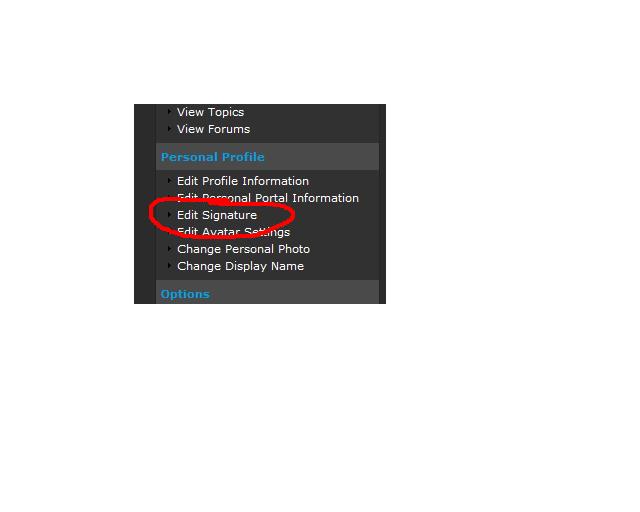
go to my controls and look for:
-
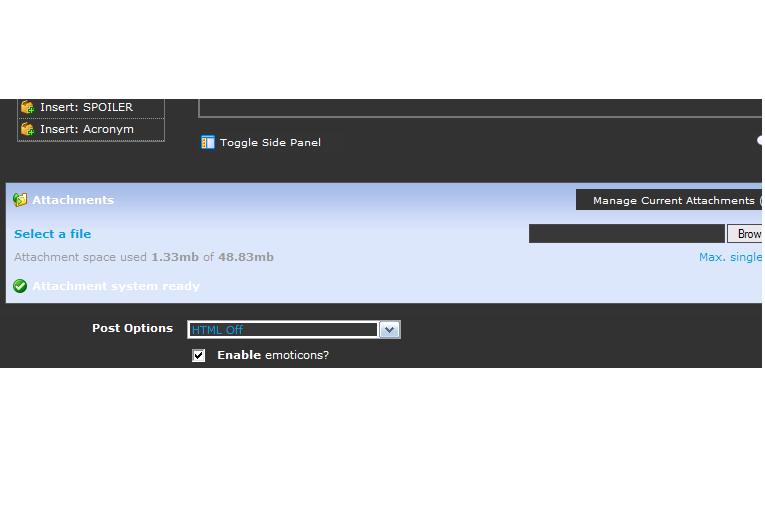
Look for this section when you are typing your post.
-
"Wheatfield of Death"..... not what I was calling it every time Lara got sliced and diced. LOL
-
http://www.google.com/search?hl=en&q=F...mation+programs


LARA CROFT ONLINE TOMB RAIDER HOME PAGE
© Lara Croft Online All rights reserved. "Serving Tomb Raider Fans Since 2001"
Lara Croft ® and Tomb Raider ™ are trademarks of © CDE Entertainment Ltd. All rights reserved.