
Shrensh
ModRaider
-
Joined
-
Last visited
Everything posted by Shrensh
-
Here's a video I took this evening. Finally got Lara to perform for the camera Lara gets her feet slightly wet, and drowns in the air as a result.
-
Thanks for the Xmas skin Tom. I like it
-
Even Legend had trouble with Nvidia cards. My 7600 would not run the game in a way that was playable with next-gen enabled even though it should have run without a problem (it would run fine for about 10 minutes, then would slow down so much I couldn't do anything with it. Thank a lag of a few seconds every time I pressed a key). I completed the game with next-gen enabled back when I first got it, so an updated driver must have caused the issue.
-
LOL, I did it from the top too, so thank goodness it was possible to do it that way. I'd have hated to have triggered another bug by doing a task backwards again
-
With that graphics card, I doubt it'll run well enough to be playable, even with everything turned off (especially with your graphics being integrated). From reading the Eidos board, I've seen people with Nvidia 7-series having massive difficulties with their framerate, even after turning the graphics down to the lowest level (I even took my 7600GT out and replaced it a month or so ago because I knew there was no way it'd be able to cope with Underworld). In my opinion it'd be better to wait for the PS2 version than to risk the PC version without being able to try the demo first. Pity, as you say the rest of your specs are fine
-
Is there any way you can check the disc on another computer? If the same thing happens on another PC, then you'll know if the problem is with the disc. Make sure that there's no dirt or fingerprints on the disc. You could also try turning off your anti-virus program temporarily while you're installing.
-
Well, besides not being able to re-map the mouse keys, the game constantly crashing out when I'm trying to save, encountering a glitch that made me re-start a level, the camera having a mind of its own, the controls being unresponsive, Lara randomly getting stuck to the ground for no apparent reason and refusing to move... There's the usual "Lara standing on air" one: Lara was supposed to push the box but ended up inside it instead: Not a bug, but I find the description versus what's actually in the picture funny. Skull wearing a headdress, huh? Lara is stuck in some rocks... I haven't managed to get video of anything weird yet. When she does strange stuff she won't repeat it for the camera...
-
I've gotten past the buggy bit now. Hopefully I won't encounter anything else like it...
-
No, it's been happening across multiple platforms (PC, XBox 360 and PS3, from what I've read at the Eidos forums). It's just a particularly frustrating one as it kills your progress in the game... EDIT: I've gone back and re-done the level, reversing the order I in which I did the puzzles, and the ramps were up like they were supposed to be at the beginning of Midgard Serpent. Thanks for the save though, BP
-
You're welcome I haven't decided yet whether I'm going to try re-starting the level or use BP's save, so I think I'll just go throw Lara off cliffs instead to vent my frustration
-
LOL yeah, I remember that thing. At least this one can reverse
-
Xibalba and Midgard Serpent (XBox 360, PS3 and PC) If triggered, this bug will halt your progress through the game and will cause you to have to either restart Mexico from the very beginning or restart the whole game if you haven't been manually saving. It causes a ramp at the beginning of the Midgard Serpent area to not be raised, making it impossible to proceed. This is the advice from Crystal D and Eidos on how to avoid it (taken from http://www.eidos.co.uk/support/faqinfo.htm...6&gmid=215) --------------------------------------------------------------------------------------------------------------------------- Coastal Thailand (Wii) This bug causes a switch which should open an underwater door to disappear, and will make it impossible to continue. From Eidos: The solution is to either reload an earlier save and play through the level again, or if you have an SD card you can download saves from Eidos at the following locations: Here for the European PAL edition Here for the North American NTSC edition Instructions: 1. Unzip the file 2. Place the contents of the unzipped folder onto an SD card. 3. Ensure the Wii is off and insert the SD Card into the Wii. 4. Boot up the Wii without the disc in. 5. Go to the Wii Options -> Select Save Data -> Select Wii -> Select SD Card. 6. Select the TR:Underworld file and then select the option copy to Wii memory 7. After save is copied remove SD card and reboot the Wii. 8. Start the game and Load the Save.
-
Thanks! The thought of doing that again and encountering the same problem depresses me somewhat
-
Thanks BP! Apparently the bug was triggered by my doing the skull calendar puzzle first and the jaguar head one second, although some people have reported doing the puzzles in both orders and still encountering the bug. I have a save at the beginning of Mexico but there's no guarantee that it'll solve my problem... Ha ha, yeah, I'm finding the motorcycle rather unwieldy and awkward to control
-
I've gotten up to Mexico, and have just encountered what appears to be a game-stopping bug and will probably have to restart the level from the beginning Bah...
-
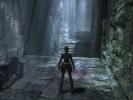
Yeah, what it says in the title... I've just done the bit with the two calendar puzzles and the timed run on the motorcycle. Now I'm underground and need to get over this gap: I'm assuming I need to do it with the motorcycle, but can't seem to get up the speed. Any tips, people who've done it before? Do I need to jump it with the motorcycle or do I need to do something else first? I've heard there's a bug with this level, but I don't know where it occurs and want to make sure I haven't encountered it. If it isn't a bug, there's no need to give any specifics about what I need to do to cross it, I just need to know if it's possible... EDIT: on investigation it seems to be a bug and the wooden ramp there is supposed to be up, and opinion seems to be divided on what causes it. I don't suppose any kind PC player would have a spare savegame from right at the beginning of the Midgard Serpent section with the ramp up, would they? If I do the level all over again and encounter the same problem I'll probably pull all my hair out...
-
It seems Eidos is developing a bit of a reputation for this kind of thing. First the Kane and Lynch incident last year now this. Really, they're just going to harm their reputation in the long run if they keep doing these sorts of things.
-
Welcome Marie! The PS2 version of Underworld is only being released in January next year if you're planning on getting that version, and all the other versions are out now. Hope you have fun here
-
No, I did not know that. Hmmm... sounds interesting, I might use it for whatever I don't find during my second run-through.I'm also a PC Although I'm getting to the stage where I need a new one...Hmm, yes, once I've opened up enough areas to get a good variation of locations Oh, and have I mentioned that throwing sticky grenades at people is loads of fun?Yeah, that's pretty much how it looked for me too. I had gone to the video settings earlier and turned the brightness up though, now that I think of it.Yeah, I've managed to fiddle the registry to allow me to re-assign the mouse keys (for anyone who'd like to do the same, have a look at this thread at the Eidos technical forums). I have to have switch weapon as the middle button and jump as the right button or it completely throws my game off. I'm up to Thailand now, in the middle of the demo area. I decided on jungle pants (erm.... trousers rather )I haven't gotten to the top myself, but I'll do that when I come to replay the game. I prefer leaving the treasure-hunting for the second go-around... The room was pretty bright for me too so I didn't have to use the torch either.



LARA CROFT ONLINE TOMB RAIDER HOME PAGE
© Lara Croft Online All rights reserved. "Serving Tomb Raider Fans Since 2001"
Lara Croft ® and Tomb Raider ™ are trademarks of © CDE Entertainment Ltd. All rights reserved.