
Shrensh
ModRaider
-
Joined
-
Last visited
Everything posted by Shrensh
-
Quite interesting and quite different. I'm not sure about the isometric camera thing, games like that tend to drive me a bit nuts, lol, but it looks good. I'll be your co-op partner, because you are good at video games whereas I completely suck If you don't mind me constantly running off cliffs because of the camera
-
Interesting... I think I'll wait for more information before I get too excited about it, lol. I wonder how long it'll be. If it's being released this year and as a download only, it can't be a full game surely?
-
The BBC has a video, in which Judith Gibbins, the voice of Lara in Tomb Raiders 2 & 3, makes an appearance. http://news.bbc.co.uk/1/hi/england/8540057.stm
-
Hi blaire10 I take it you're at the beginning of the God of Thunder area of the Mediterranean. Lara should just grab the anchor automatically when you jump toward it. Can you tell us what platform you're playing on? (PS2, PC, Wii, etc)
-
A new £36.2m Derby road is to be named after computer game and movie character Lara Croft following a public vote. BBC News link Go Lara
-
Happy birthday LCO
-
You're welcome. Good luck with the rest of the game
-
I'm another who plays with keyboard and mouse. Make sure when the centaur charges you that you keep Lara's guns locked onto to it at all times (hold the combat button down if you're on manual combat mode). The adrenaline dodge move you need won't work unless Lara's weapons are locked onto her enemy. Lock Lara onto the target, but stop shooting and run to the side. When the arrows appear in the corner of the screen, press the crouch button, and then wait for the target to appear on the centaur's head, and shoot. If the centaur targets you with the green ray, make Lara crouch so you don't get turned into stone. Once you've pulled off a successful adrenaline dodge move and stunned a centaur, press the grapple key to lock the Lara's grapple onto the centaur's shield, and then press interact to pull the shield onto the ground. Once you've gotten both shields on the ground, stand by one of them and shoot the centaurs until they target you with the green ray. Then quickly pick up the shield so that the ray gets reflected back at the centaur and it gets turned to stone. When it's stone, you can shoot it and hurt it. Repeat the move with the shield until they're both destroyed.
-
Lara Croft has cemented her status as video gaming's leading lady by notching up six entries in the 2010 Gamer's Edition of Guinness World Records. She is now officially recognised as the Most Successful Video Game Heroine, Most Recognisable Female Character In A Video Game and Most Detailed Video Game Character. Lara's Tomb Raider franchise also set new records as Highest Grossing Computer Game Spin Off, Most Successful Live-Action Transfer and Most Official Real Life Stand-Ins In A Video Game. Sky News linky
-
Yeah, very nice. You got talent
-
Welcome duyakaturtle Once you finish the game, you'll be able to start a new game in treasure hunt mode. Save the game once you're in treasure hunt mode, and every time you load the treasure hunt save you'll be able to pick your location using the PDA.
-
I agree, Up was a beautiful movie. And the dogs were awesome
-
Yeah, I'll be back in London over Christmas and New Year. I'd have loved to have been able to shift my holiday up a week to be in Cape Town for the end of December, but plane tickets over that period cost over £1,000
-
I'm going back home to South Africa for a two-week holiday, leaving tonight. I'll have some net access though, so I'll pop in when I have a spare moment or two. Be back on the 20th
-
Is this the picture you mean? http://www.laracroftonline.com/gallery/pic...assics/9895.jpg It's not a screenshot, but it might be concept art from Tomb Raider 3 (perhaps inside the clock tower of St Paul's Cathedral rather than Big Ben, as part of the game was set at St Paul's).
-
Glad you survived with all your limbs intact, j7
-
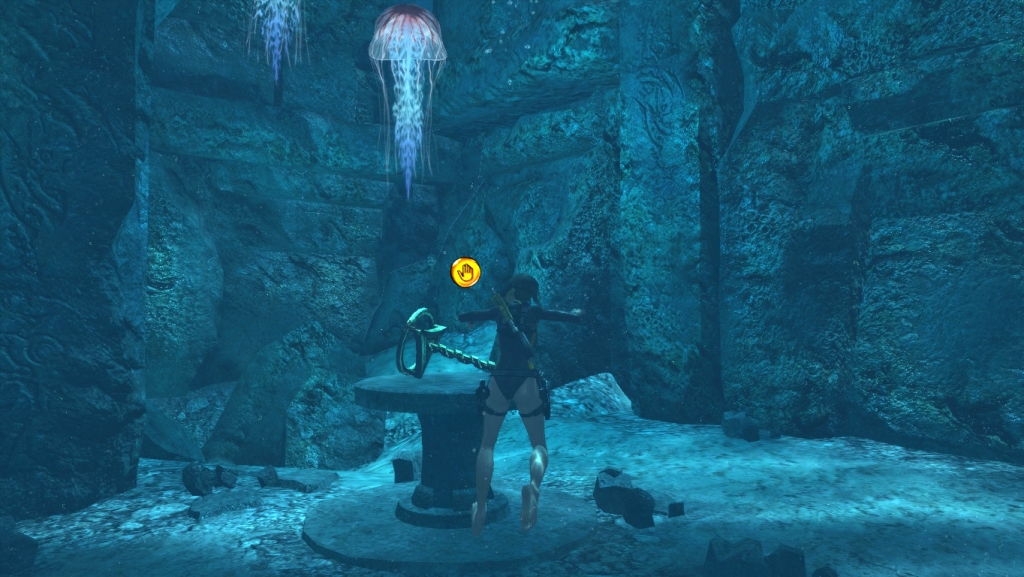
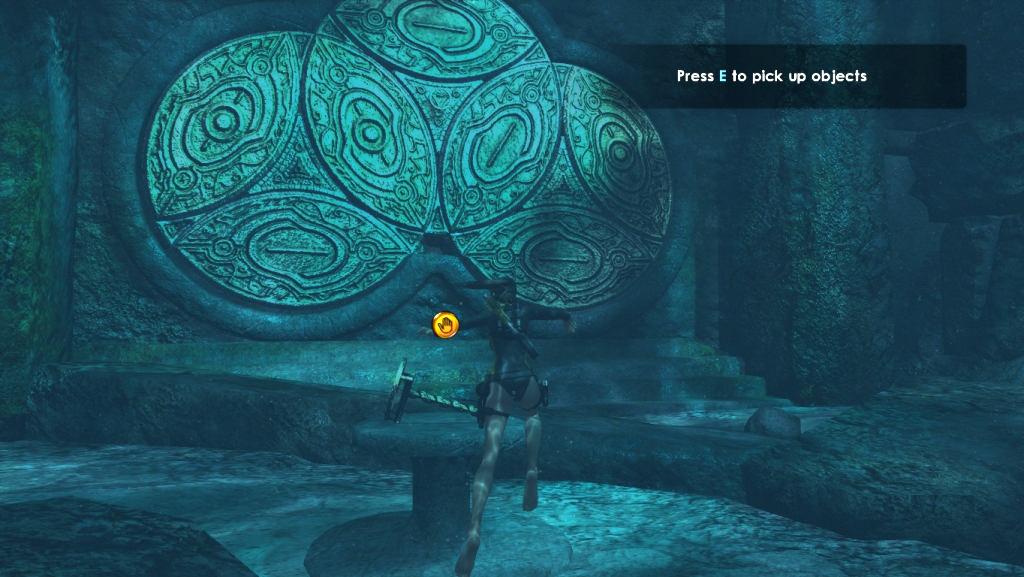
Can you let us know what platform you're playing on? (PC, XBox 360, PS2, etc). Are you here, in front of the door? Or are you here, in the smaller cave with jellyfish? EDIT: This thread on the Eidos forums seems to indicate that some people have a problem with the handle disappearing: http://forums.eidosgames.com/showthread.php?t=83631 If it looks like you're having the same issue, since it's very early in the game still it should just take a few minutes to restart if you have no earlier saves. Make sure that you manually save regularly and always keep a save from the beginning of new levels that you can go back to (I was very grateful for my habit of doing this when I encountered a game-stopping bug later in the game).
-
Hello GossipGirl/Ariana. Welcome to LCO!
-
Welcome Aurora! Good luck with your NaNoWriMo story. Sounds interesting to me
-
Hello draco / Screamer / Crunch! I remember you. Welcome back!
-
Welcome to LCO RobOrSomething! Hope you have fun here
-
Welcome, rk228 Is your game patched up? If not, download the v.42 and v.49 patches for Angel of Darkness from here: http://www.laracroftonline.com/goodies/index.php?c=16 and install them. Don't bother with the v.52 patch, it doesn't do anything useful and won't work with any saves you've made so far.
-
Firefox 3.5 has a new feature where if you grab a tab from the tab bar and drag it down, it opens that tab in a new window. Apparently this is causing a few bugs, so it may be what's causing your troubles. You can try this add-on to disable it: https://addons.mozilla.org/en-US/firefox/addon/12276
-
Welcome back Good to see you around again
-
You're welcome. Good luck with the game


LARA CROFT ONLINE TOMB RAIDER HOME PAGE
© Lara Croft Online All rights reserved. "Serving Tomb Raider Fans Since 2001"
Lara Croft ® and Tomb Raider ™ are trademarks of © CDE Entertainment Ltd. All rights reserved.